learningBOX ON <Operation in the Manage contents (Old)
Free content is available within learningBOX. (Japanese only)
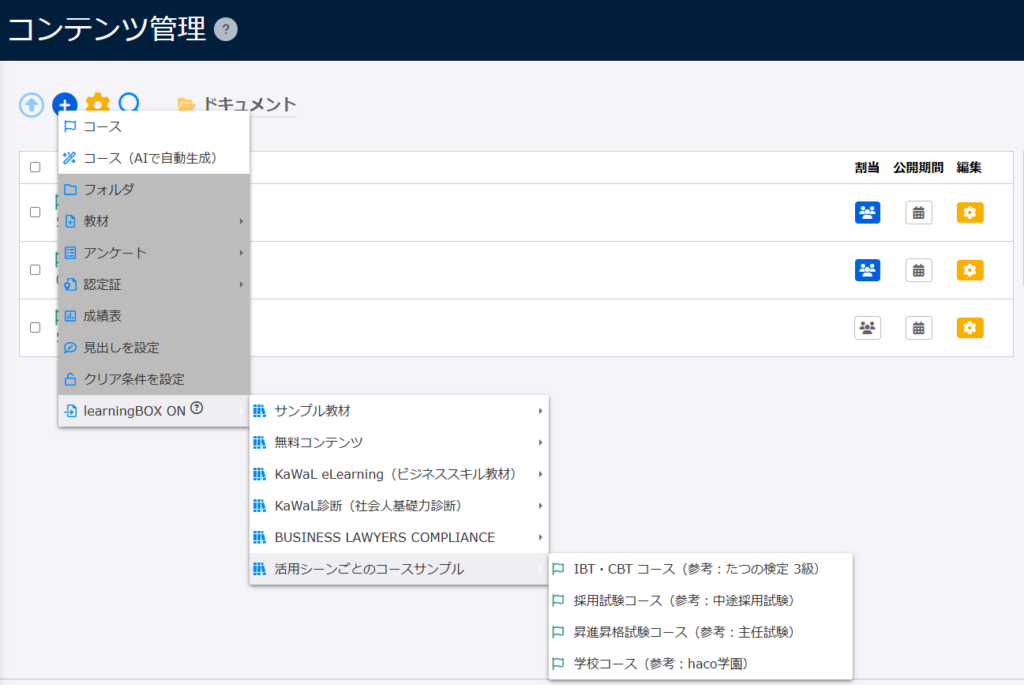
According to the Use case, select sample courses as needed.
Contents
Content Details
For more details, refer to learningBOX ON (JPN only).
How to add
01. Go to Manage contents
Click on "Manage contents."
02. Add sample content
On the Manage content, click the "+" icon > "learningBOX ON" > Sample Content
The selected content will be automatically added.