learningBOX ON (JPN only)
Provides access to a library of free, pre-built content within learningBOX (Japanese only).
According to the Use case, select sample courses as needed.
Table of Contents
Content Details
For more details, refer to learningBOX ON (JPN only).
How to add
01. Go to Manage contents
Click on "Manage contents" on the side menu.
02. Add sample content
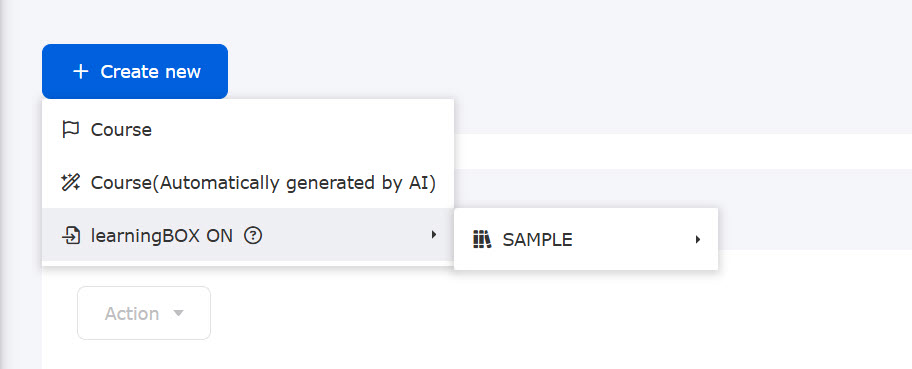
Click "+ Create new" > "learningBOX ON" > select the course you wish to add. The course you clicked on will be added automatically.