Heading <Operation in Content Management (old)
Insert headings to structure and organize your course.
Contents
Set headings
01. Go to Manage contents
Click on "Manage contents."
02. Gear icon
Select a course you created.
Click the "+" icon > Heading
03. Settings
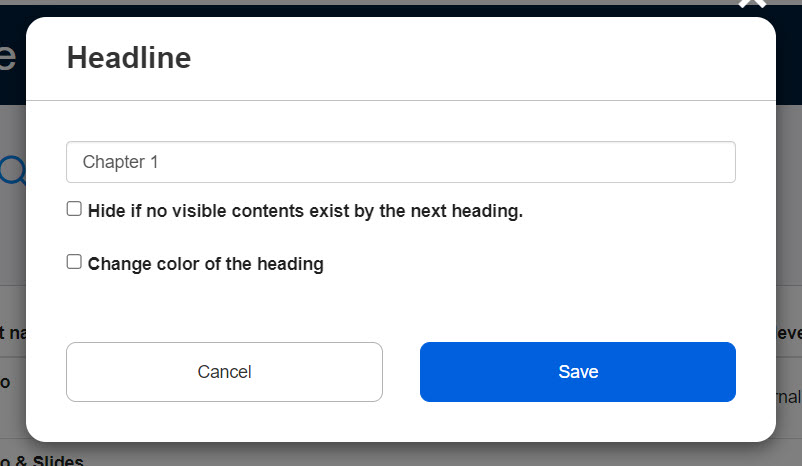
Set the following three items.
▼ Title
Enter a title of the heading.
▼ Hide until content is set under this heading
Tick the box if necessary.
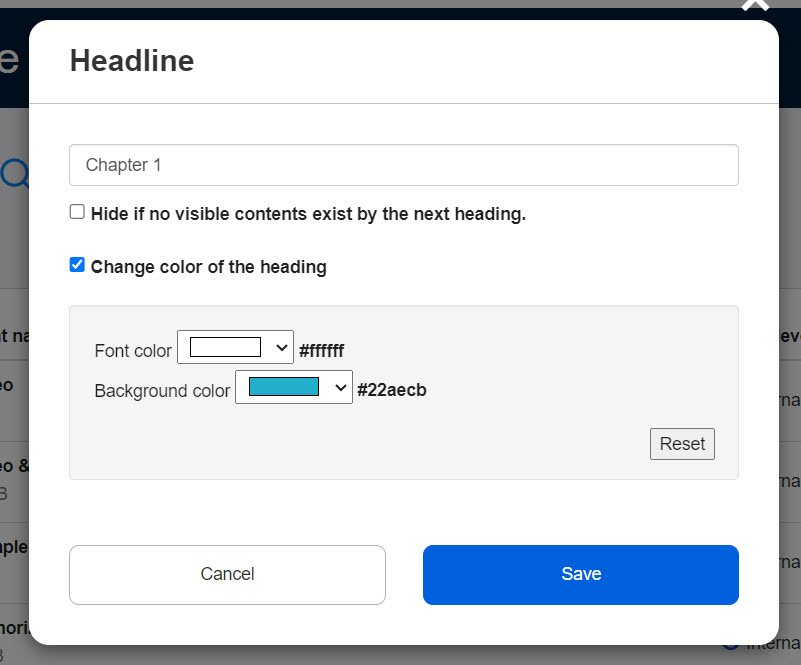
▼ Change color of the heading
The default text color is white and the background is black.
Tick the box to change the colors.
Select each color from the lists.
You can reset the settings by clicking the Reset button.
04. Move heading
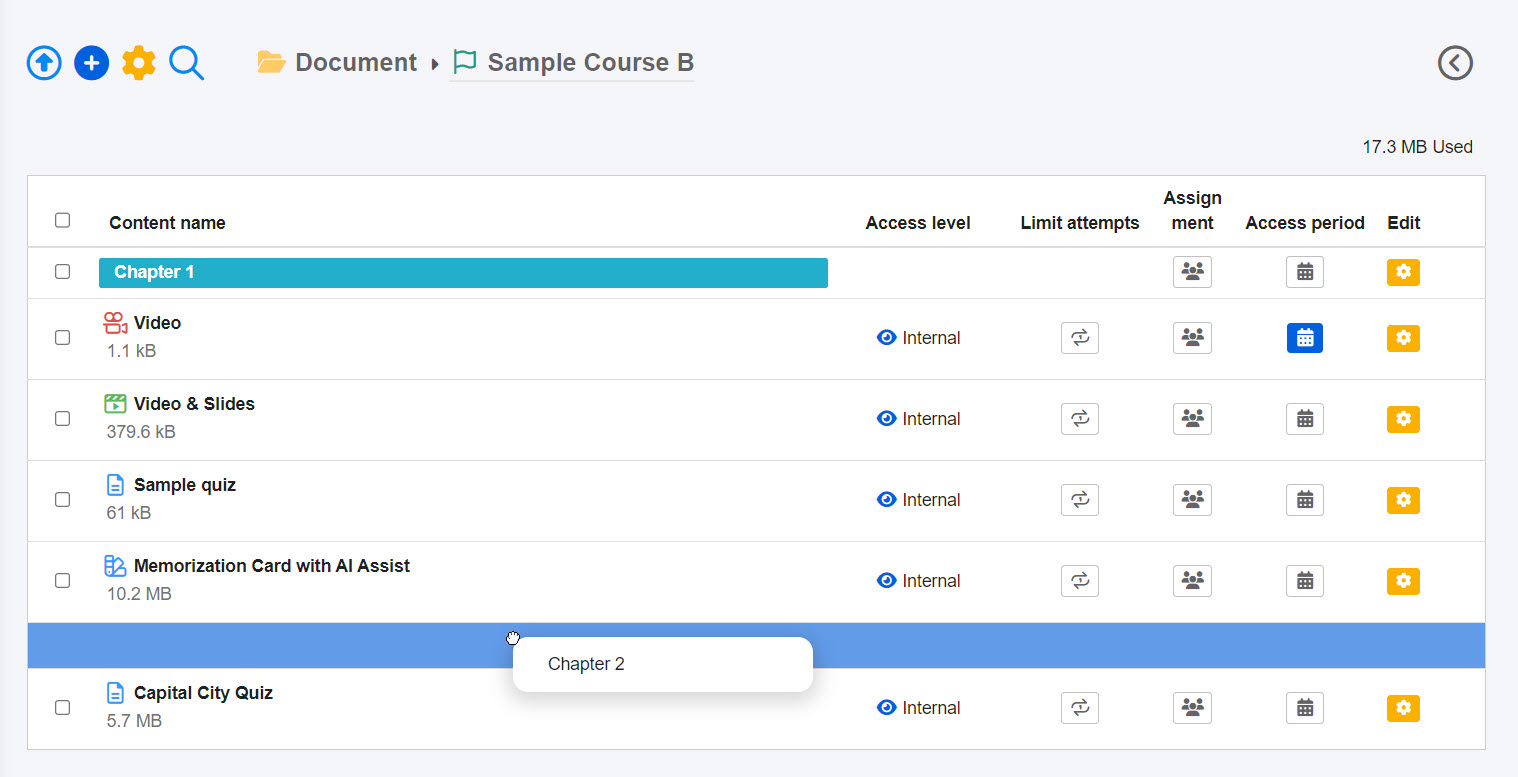
Drag and drop the heading and place it wherever you like.
05.User interface
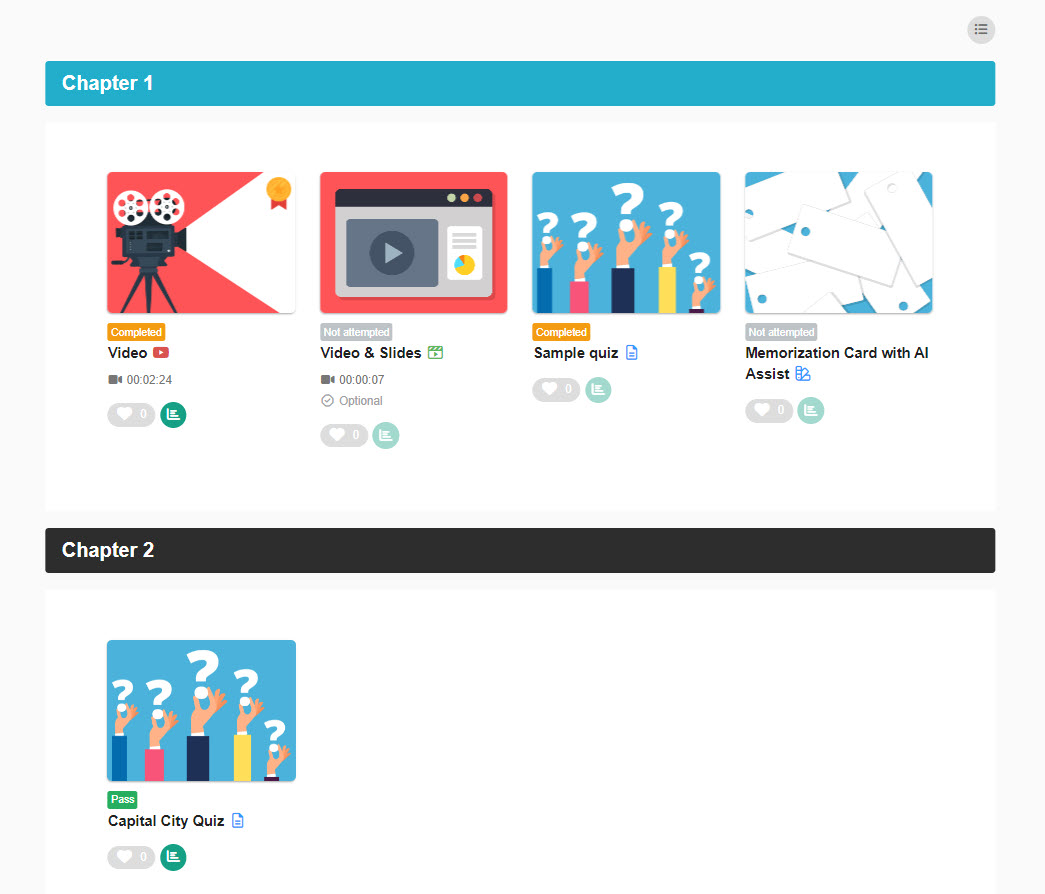
On the Select a course page, the heading will be shown as follows.