Use training functions
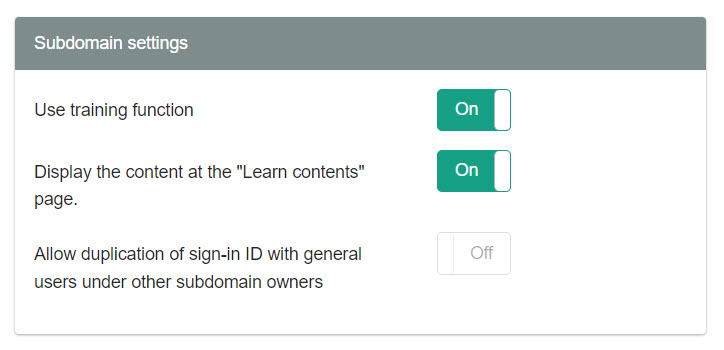
To use the training function, you first need to select the "Site customizerThe training function must be activated in the "Training" section.
What is the Training feature?
Multiple courses can be combined to build a single training program.
This allows learners to select and reserve training courses from the list, and take it within the specified period.
Required
Customization options, configuration page access permissions
Settings
Select "Site Customizer" from the side menu to open the "Site Customizer" screen.
Click on "Basic Settings" and open the "Basic Information" tab of the "Basic Settings" screen that opens.
You can configure the activation settings in the "Subdomain Settings" section here.
*For more details, refer to Basic informationPlease refer to "Subdomain Settings" in the "Subdomain Settings" section.