
Site customizer
The Site Customizer allows you to tailor your learningBOX environment, including basic system information, overall design, and side/header menus.
*To activate these features, the Customization option is required. Note that learningBOX is not liable for any system issues arising from user operations within the Site customizer.
For more details, click here.
Required
Customization options, Site customizer, Admin
[First page of Site customizer]
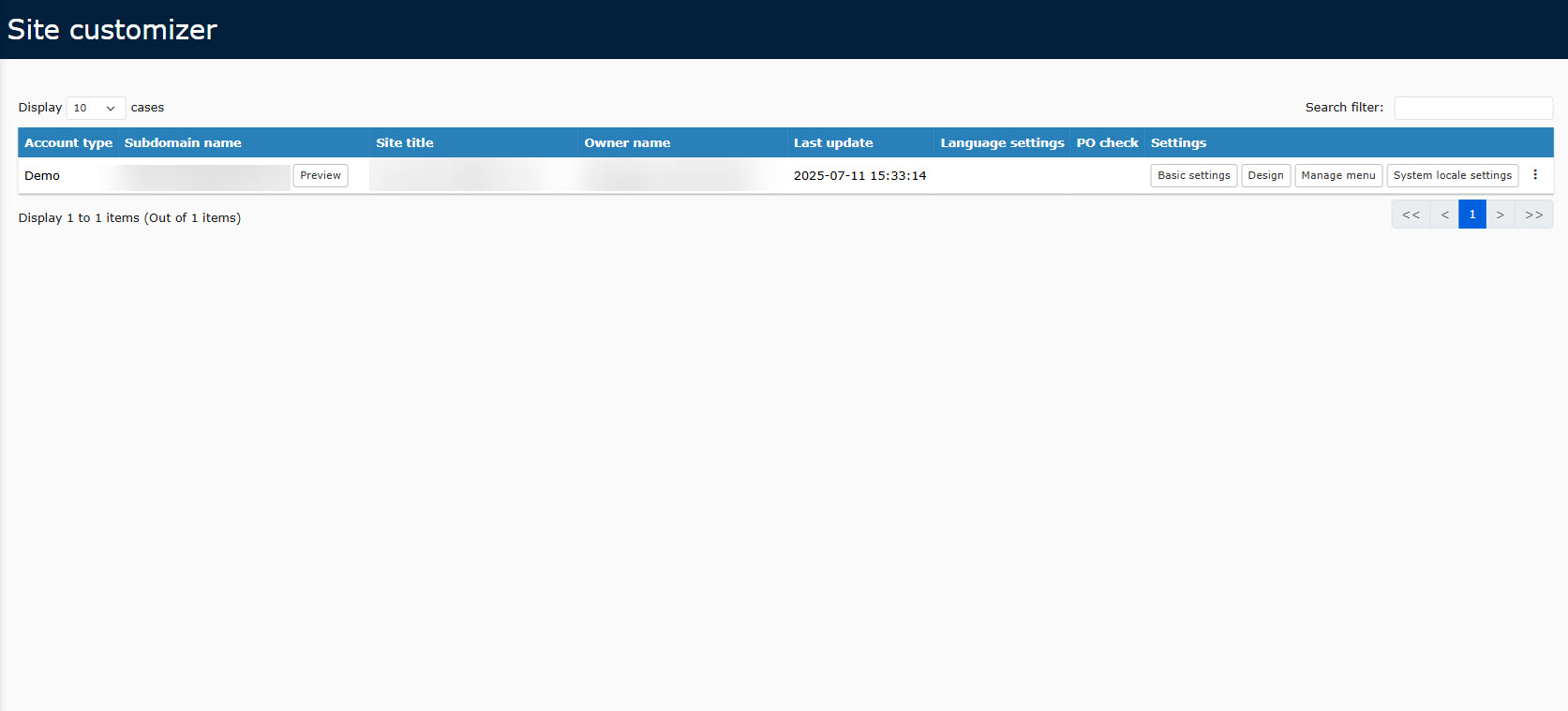
Basic settings
- Basic information
- Login form settings
- Change sender email address
- External system integration
- META tag
Design
Manage menu
System local settings
Others
Click ︙ on the first page of the Site customizer.
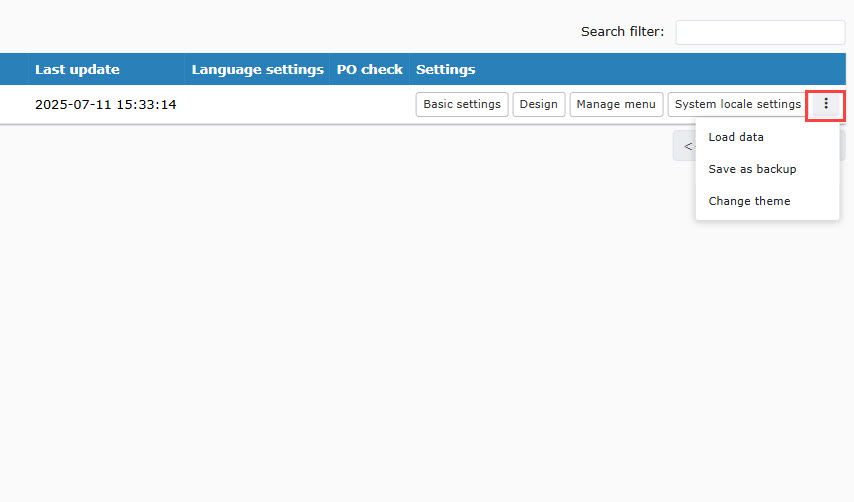
▼ Load data
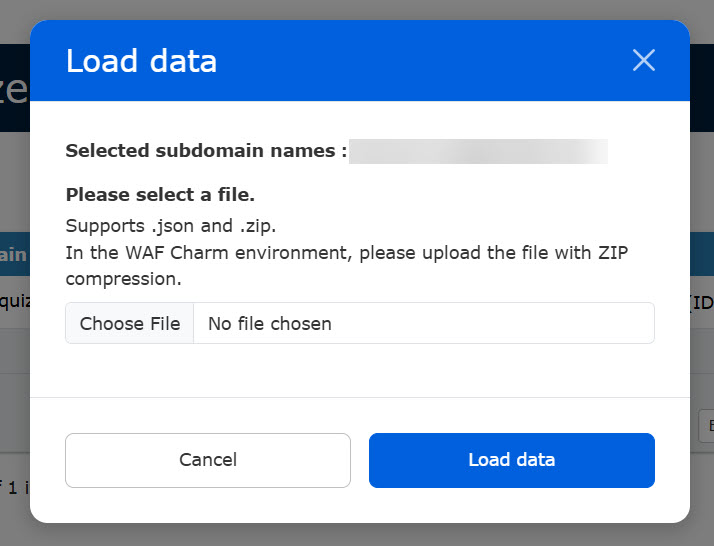
You can restore your environment using a previously saved backup file.
Click Load data.
Select the backup file (ZIP format) from your local device.
Enter the subdomain name.
Click Load data to apply the configuration.
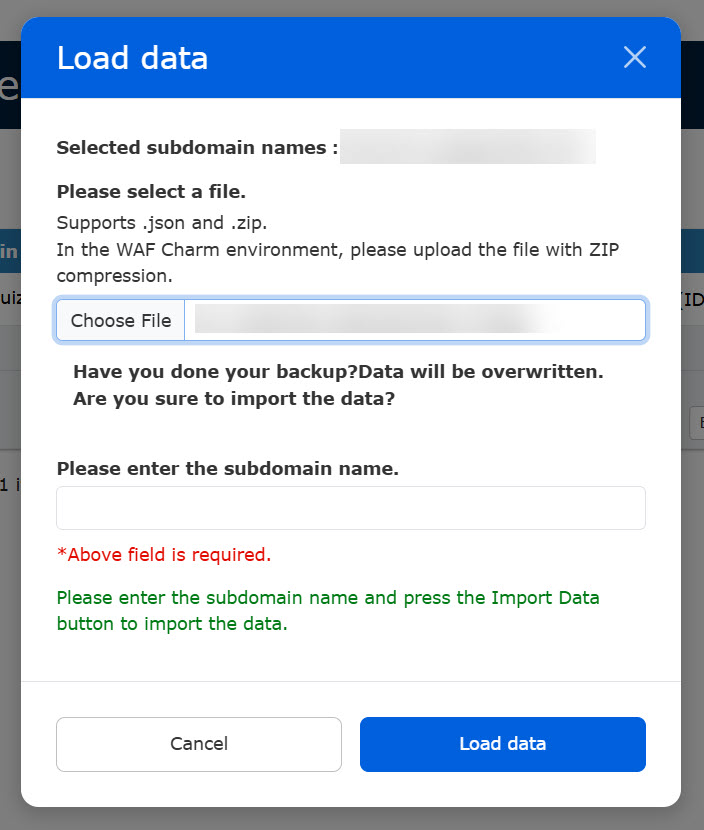
This action will overwrite your current settings.
We highly recommend saving a backup of your current configuration before proceeding.
▼ Save as backup
You can export and save your current Site customizer settings as a backup.
Click to download the file in zip format.
▼Change theme
Templates are ready to apply.
We provide pre-designed templates that can be applied to your site instantly.
Click Preview to see how your site will look before applying it.
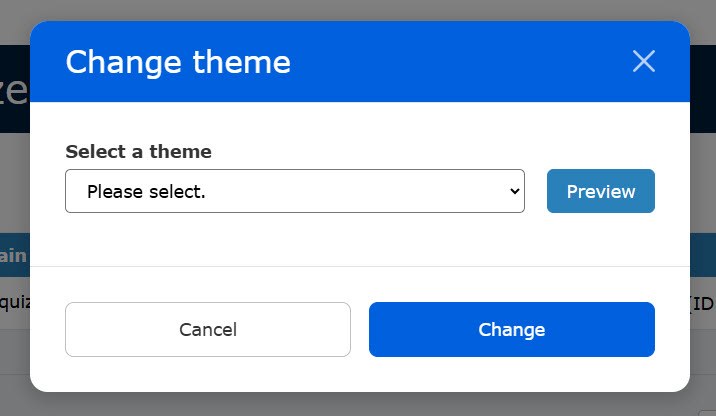
Enter your subdomain name to confirm the change.
Click Change to save and apply your new theme.
Applying a new theme will overwrite your existing design customizations.
Back up your current design beforehand if you wish to keep it.