
Typing practice
You can create your original typing practice on learningBOX.
Also, time limit, passing score, difficulty level and more options can be selected.
Create typing content
01. Create a course
First, create a course in the Manage contents.
*For details on course creation, refer to Course/Folder.
02. Open the creation form
Click on the course you created.
In the upper left corner of the page, select "+ Create new" > "Content" > "Typing content" > "Create."
03. Creation form
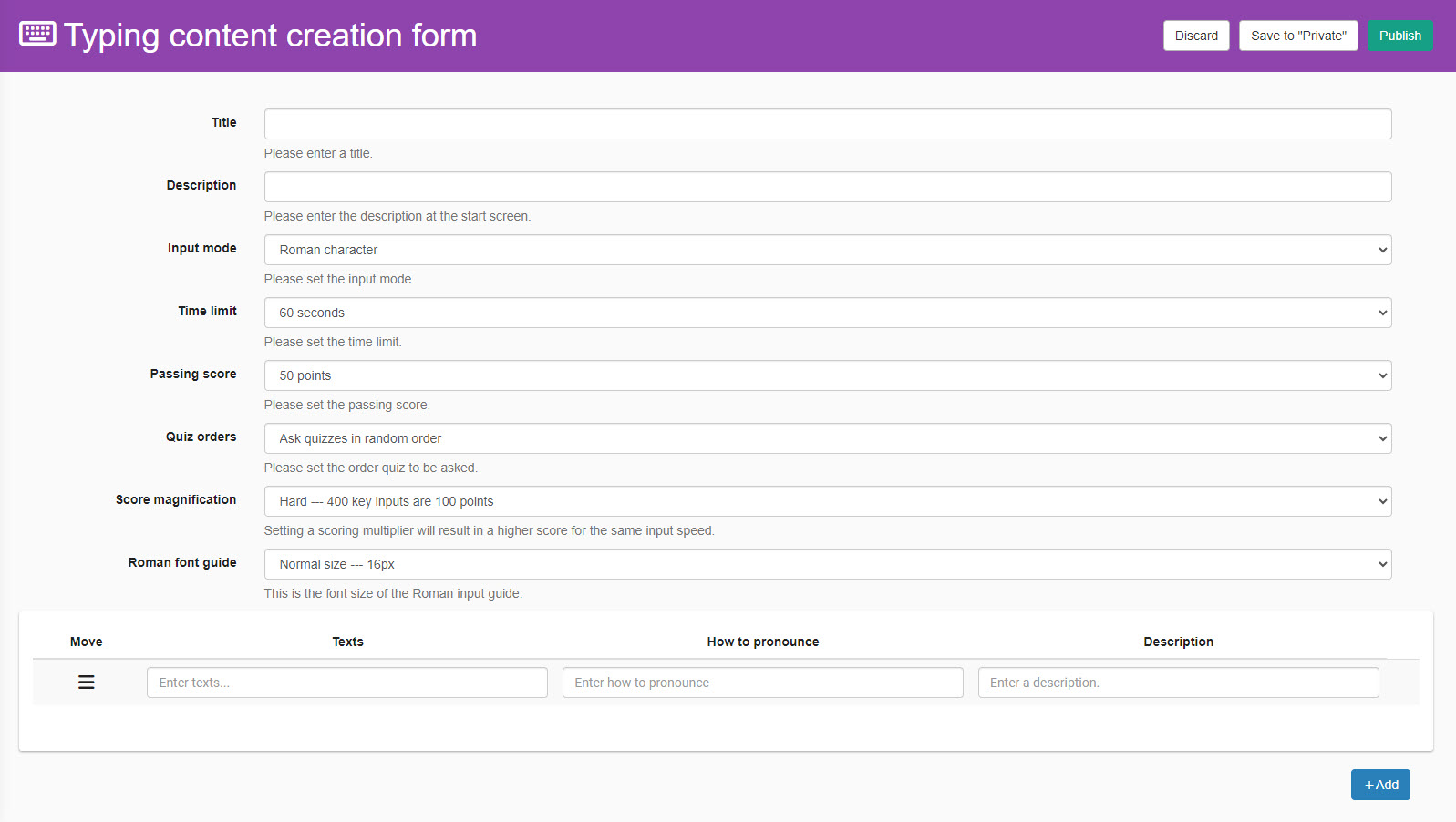
The creation form contains the following:
-Title
-Description
-Input mode
-Time limit
-Passing score
-Quiz orders
-Score magnification
-Font size
-Text
-How to pronounce
-Description
04. Add/Delete
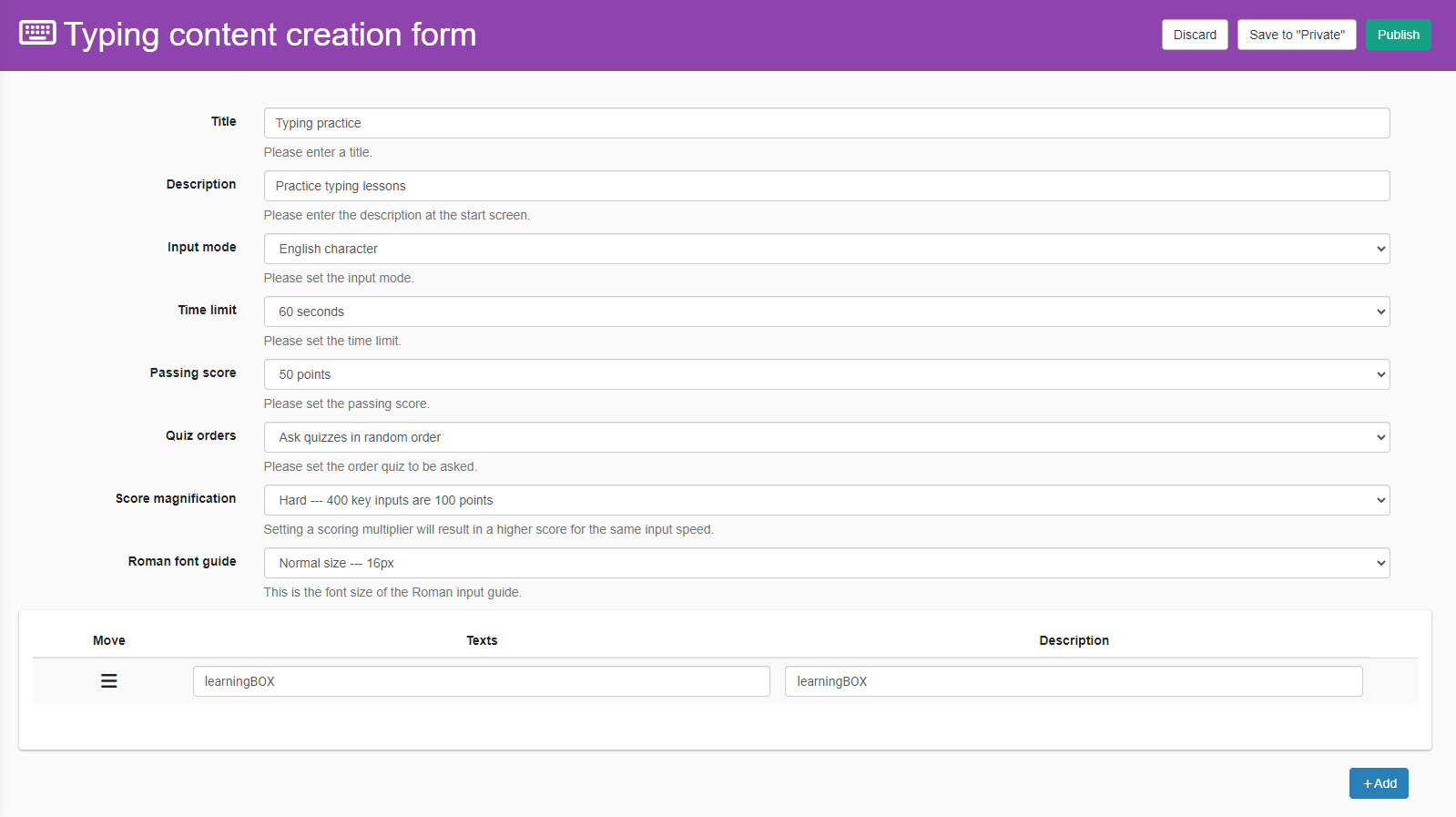
To add a question, click on "+ Add."
Click "✕" to delete the question.
Click "Publish" in the upper right corner of the page to finish.
User interface
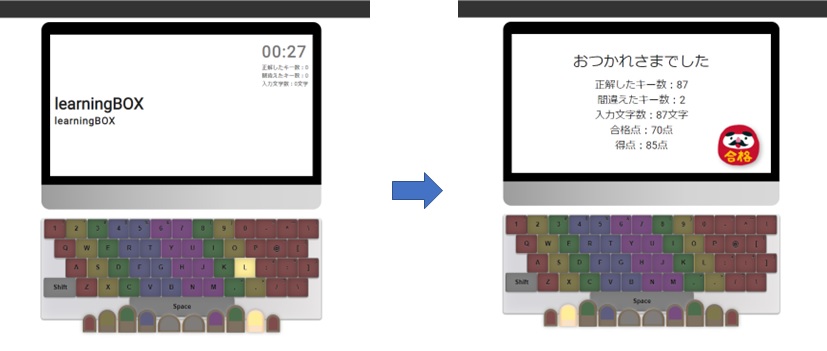
The following is the learner's page.
Upload typing content
Typing copntent you created can be uploaded.
01. Create a course
First, create a course in the Manage contents.
*For details on course creation, refer to Course/Folder.
02. Open the creation form
Click on the course you created.
In the upper left corner of the page, select "+ Create new" > "Content" > "Typing content" > "Upload file."
03. Settings

Enter a title.
Click on "Choose File" to upload your typing practice.
Click on "Create."
Download typing content
The typing content created can be downloaded.
Select Manage contents in the side menu.
Right-click on the target typing content or select the "︙" icon > "Download."
Re-upload typing content
You can re-upload the typing content that you have created.
Select Manage contents in the side menu.
Right-click on the target typing content or select the "︙" icon > "Re-upload."
Edit typing practice
Select Manage contents in the side menu.
Right-click on the target typing content or select the "︙" icon > "Edit Typing content."
To edit the content, refer to Create typing content.