
The menu that can be set from the [Contents Management] gear icon.
This section describes the gear icon next to the + icon on the Manage content.
Convert to specified version
You can update or convert generator versions in bulk for specific content types.
*For more details, refer to Convert to specified version.
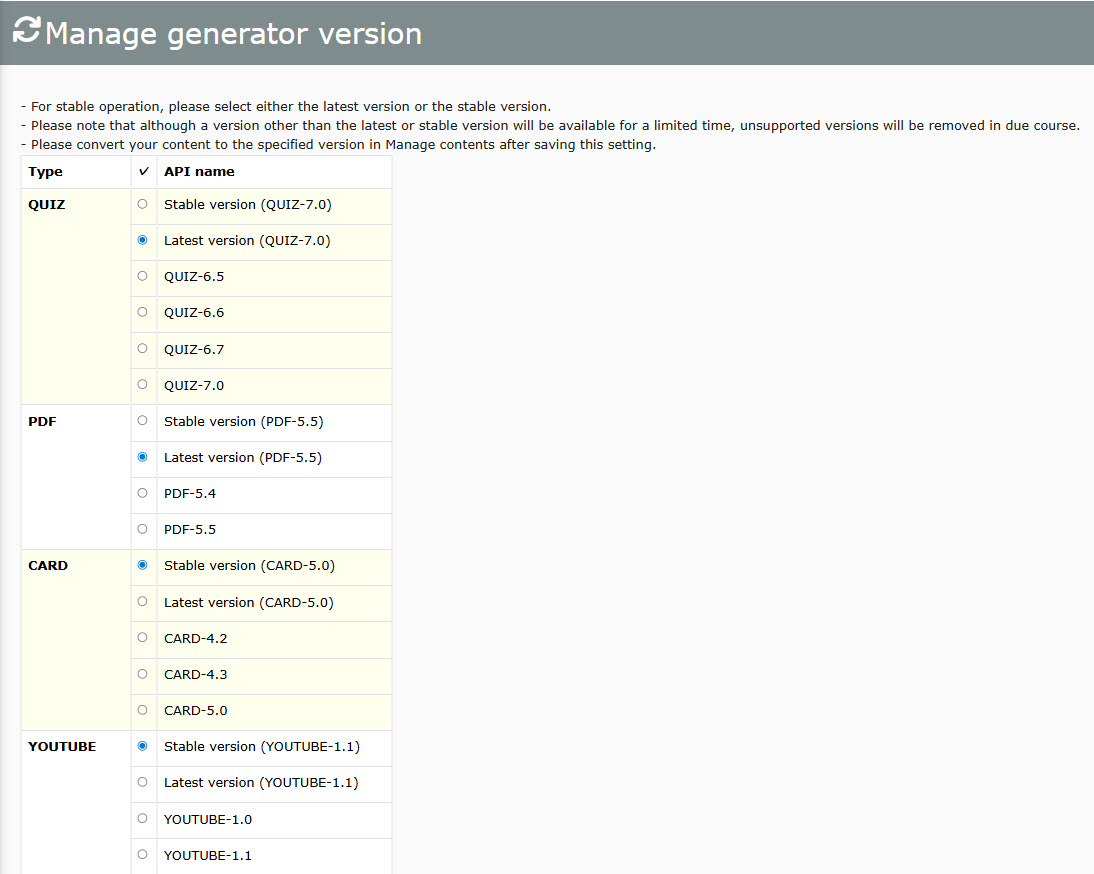
Manage generator version
Required
Management role of Content Manager (Edit) + Co-admin
Specify generator versions for individual content types.
1. Select the version.
2. Click Save at the bottom of the page.
Basic video settings
Configure global video playback settings, including available speeds, default resolution, and formats.
*For more details, refer to Basic video settings.
Deadline reminder
You can select if Content managers (Assign) can view the Deadline reminder of groups which they do not have a permission to.
*For more details, refer to Deadline reminder.
Assessment tags
Enhance grade analysis by tagging specific quiz or exam questions.
This provides deeper insights into learner comprehension and understanding levels per topic.
*For more details, refer to Assessment tags.
Proctoring
Prevent cheating during online exams using advanced integrity features, including AI-powered facial recognition, facial authentication, and photo captures.
*For more details, refer to Proctoring.
Content list
View an aggregated master list of all content assets and their respective settings.
*For more details, refer to Content list.