Overview
Manage contents is where you create and assign content.
This page provides an overview of the Manage content features.
Create content
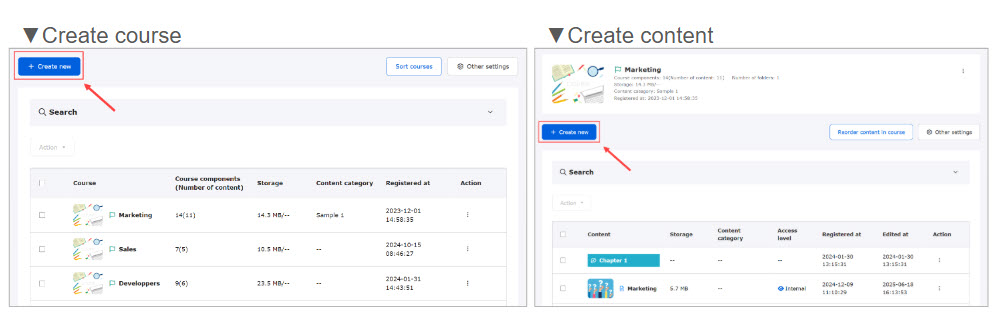
First, create a course folder, and all content will be created within this course.
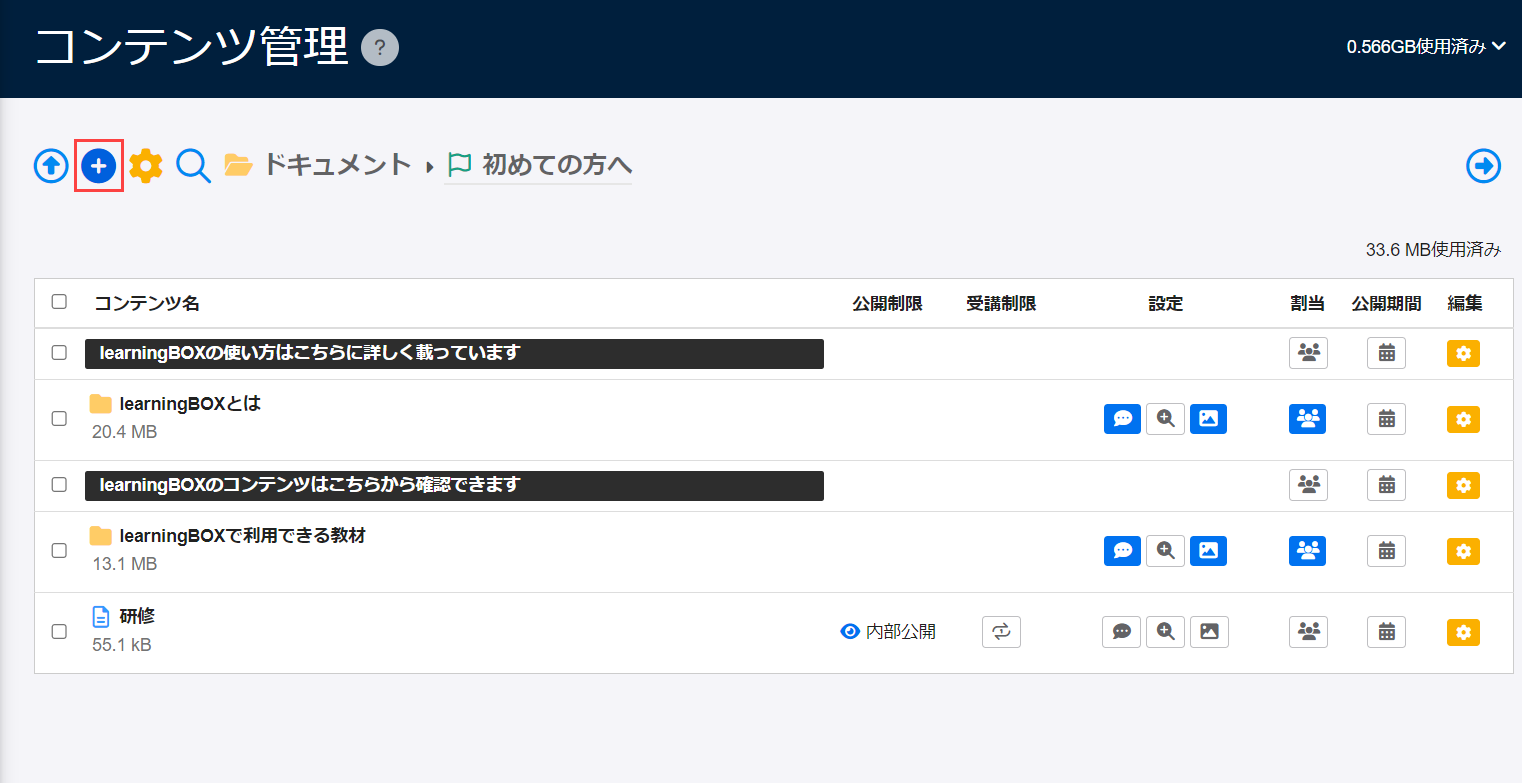
Course: Courses can be created from "+ Create new" in the Manage content page.
Content: Click "+ Create new" within a course.
*For more details, refer to Course/Folder.
Advanced settings
Apply settings for the content you have created.
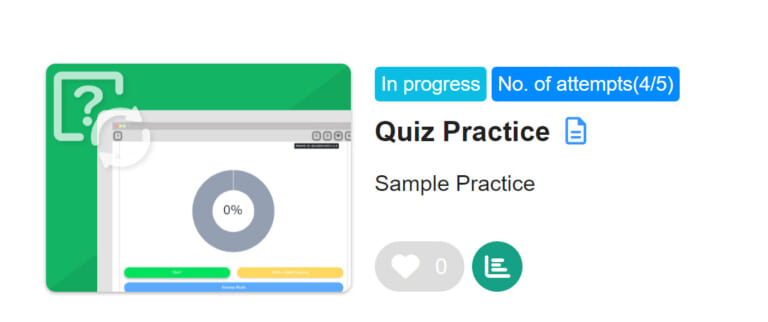
Available settings include a description, thumbnail image for the content, attempt limit, duration of the content, etc.
The following page will be displayed on the learner's page.
*For more details, refer to the following page:
Assign content
After content creation, assign the content to users.
All users, groups and individuals are selectable.
*For more details, refer to Assign content to group.
Without assignment settings, content will not be displayed on the users' page.
Reorder content
You can reorder courses, folders and content.
*For more details, refer to Reorder content.
Data storage
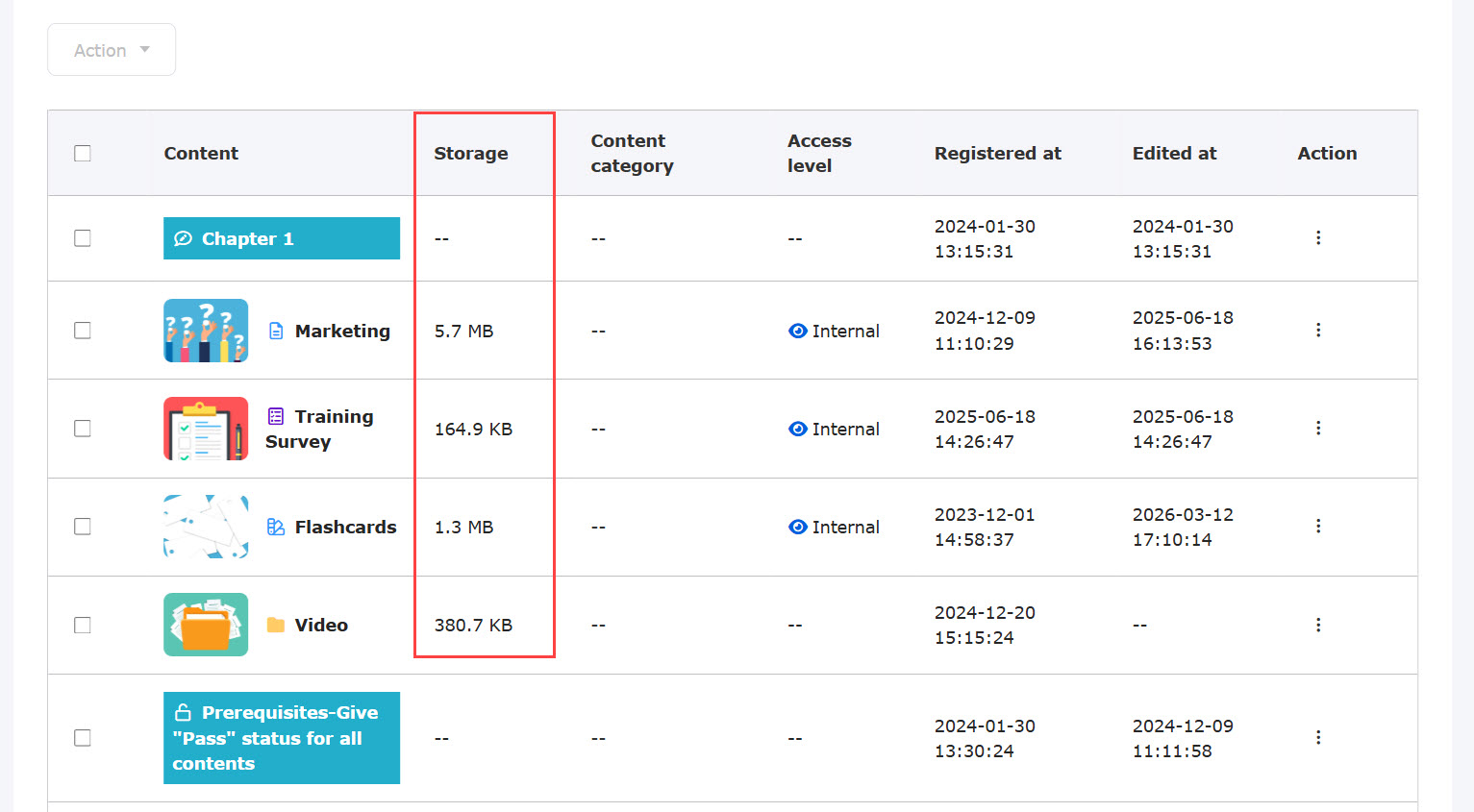
You can check the data storage in the Manage content page, as well as the data capacity for each course/content.
Total data storage within the Manage content
Click the icon displayed upper right corner of the Manage contents.
*Any of the following permissions is required;
・ Content manager (All content)
・ Content manager (Edit/View) + Co-admin
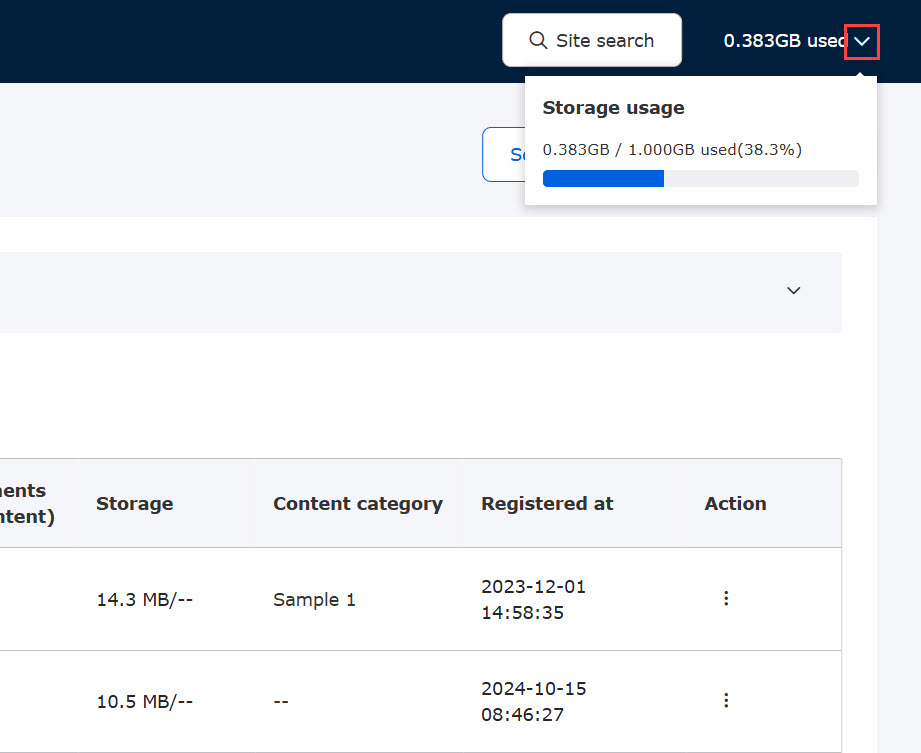
Data storage of each course
Click on a course, and the storage will be displayed under the course title.
*The first page of the Manage content also shows the storage of each course.
*Management role of Content manager (Edit/View) is required.
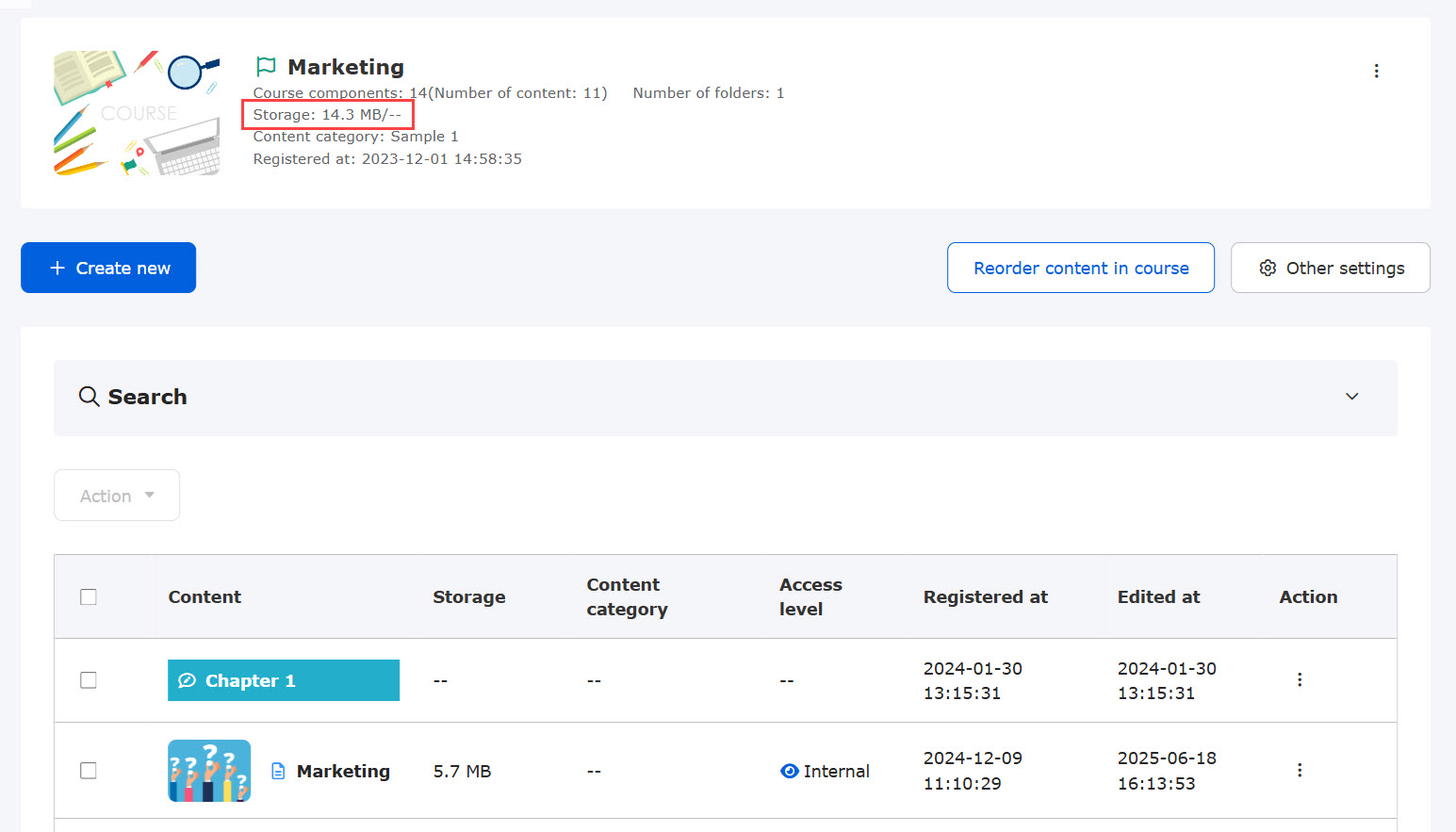
Data storage of each content
Data storage of each content will be displayed next to the content title.
*Management role of Content manager (Edit/View) is required.